UnifiedDocs: Dynamic Documentation for Confluence

Single source documentation that adapts to your context. Write once, deliver personalized content for every scenario.

Start Free Trial Documentation

UnifiedDocs: Dynamic Documentation for Confluence

by Optimizory Technologies Pvt. Ltd.
for Jira Cloud

Key Features of UnifiedDocs

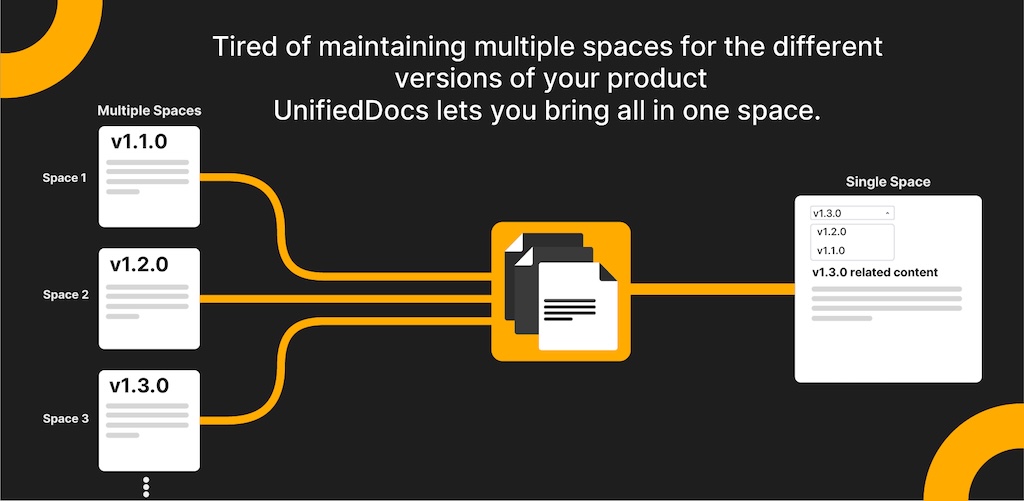
All product versions in one smart space

UnifiedDocs converts scattered version spaces into a single organized hub. Version filters let readers choose what they need while teams update content once, reducing errors and simplifying maintenance.
...

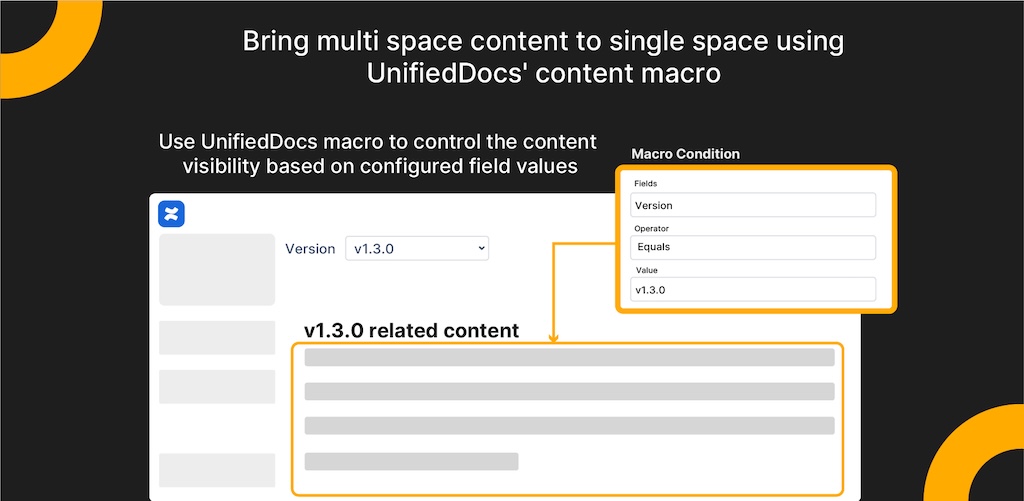
Smart Macros to unify content across spaces

Add Unified Docs macros to Confluence pages and create content that updates automatically when fields change. No duplication, no confusion; one page adapts to every scenario.
...

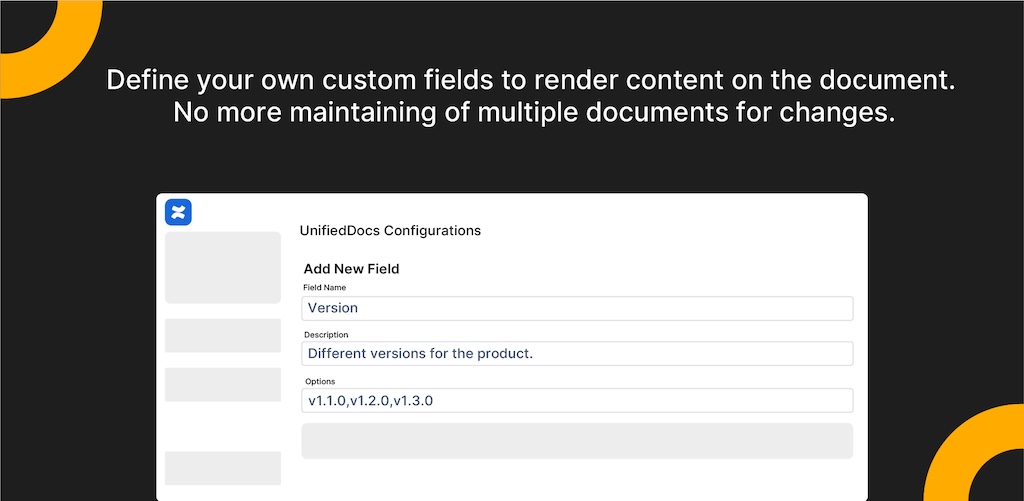
Configure Documentation Fields Globally

Define your own custom fields to render content on the document. No more maintaining multiple documents for changes.

...
AIRBUS
...
...
...
...
...
FAQ

UnifiedDocs is a dynamic documentation app for Confluence that lets you create conditional content within a single page. It helps you maintain one source of truth while delivering personalized documentation for different versions, products, platforms, or regions — all in real time.

Dynamic Content Blocks let you define conditions (e.g., Product = Cloud, Version ≥ 2.0) for specific content sections. When users select context values from the page banner, only the matching content is displayed, keeping information relevant and concise.

Yes. UnifiedDocs Global Field Configuration allows you to create and reuse fields like “Product,” “Version,” or “Region” across all spaces. Changes automatically apply everywhere, ensuring consistency and saving setup time.

UnifiedDocs supports version-aware comparison operators such as ≥, ≤, >, and <. You can tag content for specific versions, and UnifiedDocs will automatically show or hide sections based on the user’s selected version context.

Absolutely. UnifiedDocs supports conditional ADF export, allowing you to export only the relevant content based on active selections. This ensures your exported documentation remains accurate, focused, and ready for audits or client reviews.

Access is fully configurable. You can restrict visibility to specific users, all authenticated users, or everyone including anonymous visitors. Admins can also completely hide UnifiedDocs elements if needed.

Technical writers, product managers, and documentation teams managing multiple versions or platforms benefit most. It’s ideal for SaaS products, enterprise software, or regulated industries needing tailored documentation with minimal duplication.

Try UnifiedDocs for free.
One source. One update. Everywhere it matters.

Build smarter documentation with global fields, auto-updating macros, and unified version management.

Start Free Trial


Our Products Portfolio

Have any queries?

Please send a mail to support@optimizory.com to get in touch with us.